


Description
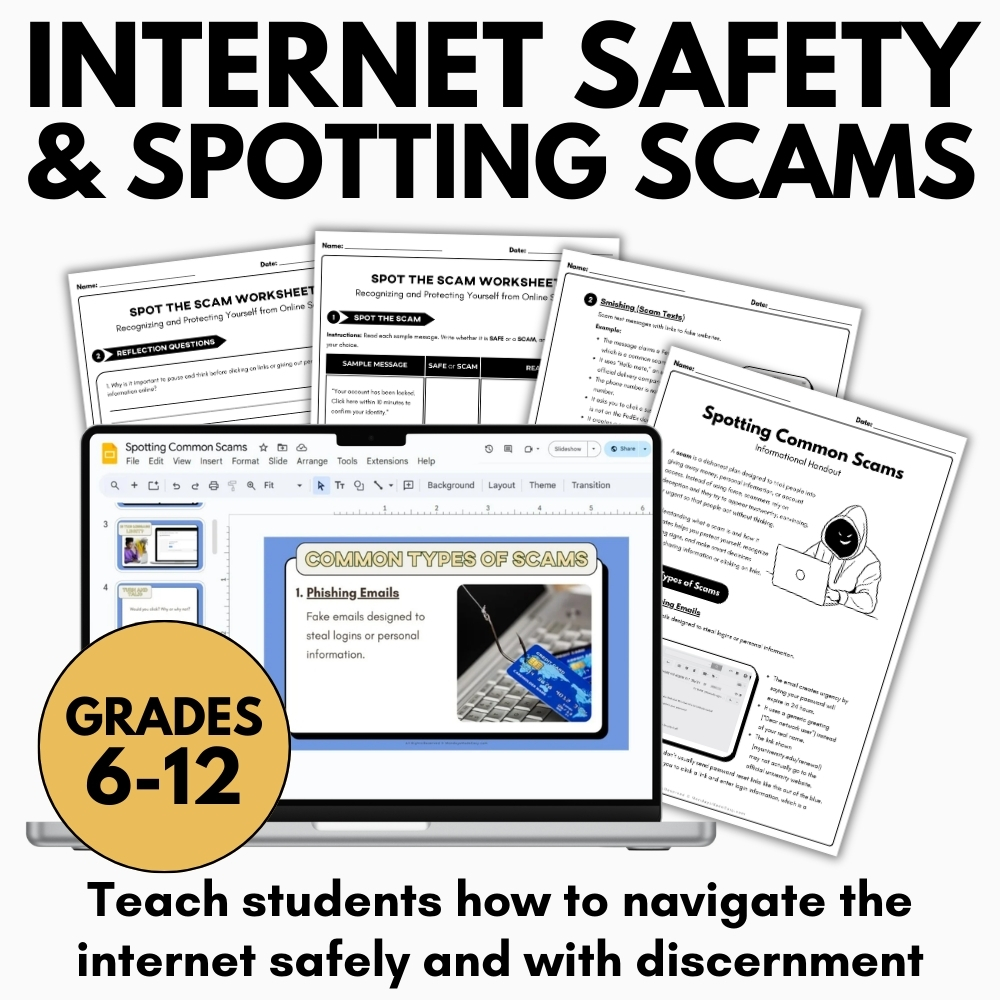
Teach students to identify online scams and protect their personal information with this internet safety and digital citizenship lesson. This media literacy resource includes interactive activities to help students recognize scam messages and understand safe online practices. Includes digital worksheets for Google Classroom®!
Included with this Internet Safety Lesson:
- Spotting Common Scams Slideshow Lesson – Microsoft PowerPoint®, Google Slides® & PDF
- How to Spot a Scam Informational Handbook
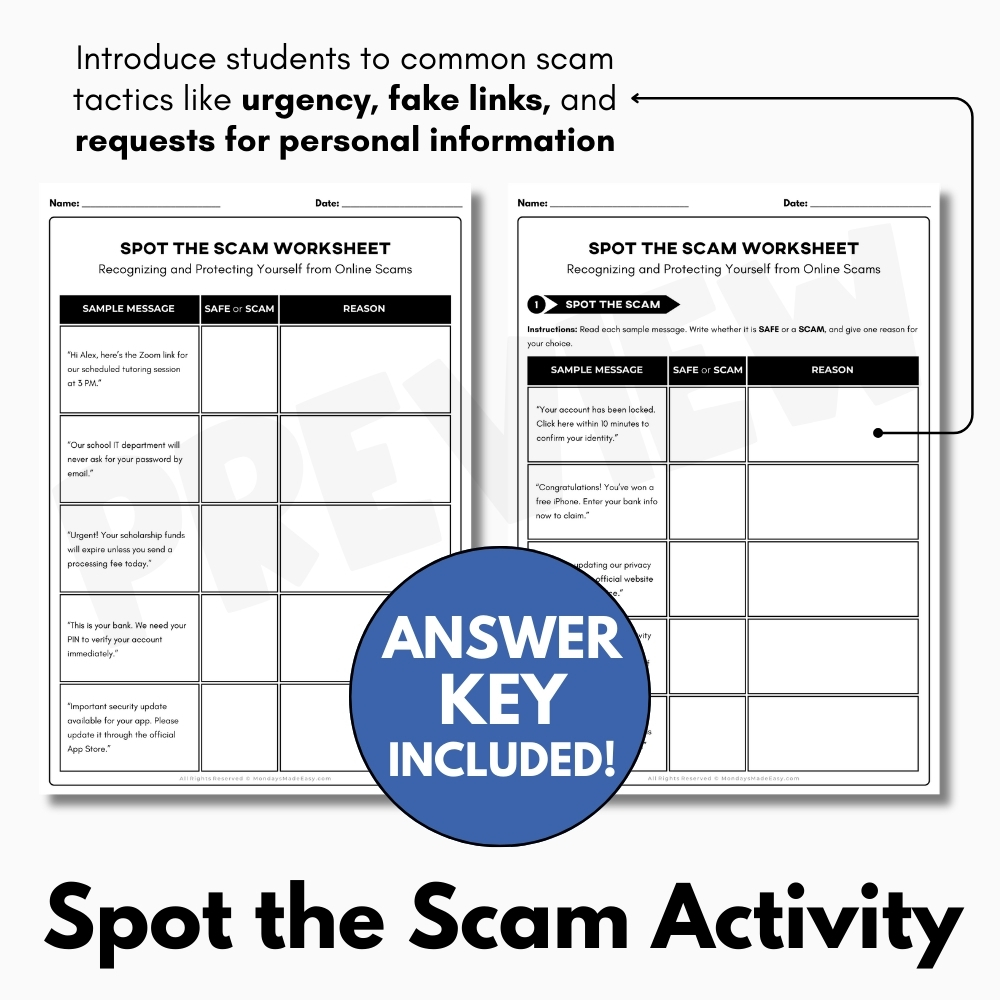
- Spot the Scam Analysis Activity
- Detailed Answer Key
- Teacher Instructions for using this resource
How to Use This Internet Safety Lesson:
This activity supports key outcomes in media literacy and digital citizenship by helping students understand how to protect themselves and others from misinformation and fraud in digital spaces.
This lesson is designed to equip students with practical skills that are essential for navigating today’s online environments safely and responsibly. By focusing on Internet Safety, students learn that digital literacy extends beyond evaluating content and also includes protecting personal information, recognizing threats, and making informed decisions online. The activity reinforces the idea that online actions have real-world consequences, not only for individuals but also for communities. Through guided instruction and interactive practice, students build confidence in their ability to assess risk and respond appropriately in digital spaces they encounter daily.
You can begin the lesson by using the Spotting Common Scams Slideshow Lesson, which introduces students to common scam tactics like urgency, fake links, and requests for personal information. This visual presentation defines internet safety and breaks down the anatomy of a scam message using accessible language and real-world examples.
This introductory slideshow provides a strong foundation for Internet Safety by visually modeling how scams are structured and why they are effective. Many students may already be familiar with scam messages through emails, text messages, or social media, but may not fully understand how these messages manipulate emotions such as fear or excitement. The slideshow allows teachers to pause, question, and discuss each example, encouraging students to think critically about why certain messages feel convincing. By defining internet safety early in the lesson, students gain a shared understanding that staying safe online requires awareness, skepticism, and thoughtful decision-making.
Next, distribute the How to Spot a Scam Informational Handout. This reference handout summarizes warning signs of scams and reinforces key digital citizenship practices. Encourage students to highlight terms such as “urgent language” and “unverified links” while reading through the content.
This handout acts as a lasting reference tool that students can return to throughout the lesson and beyond. By explicitly naming common red flags, the resource supports Internet Safety by helping students internalize patterns associated with fraudulent messages. Annotation strategies such as highlighting and note-taking promote active reading and improve retention of key concepts. Teachers may also encourage students to add their own examples or questions in the margins, making the handout more personal and meaningful. As a digital citizenship resource, it emphasizes that awareness and prevention are shared responsibilities in online spaces.
Then, guide students through the Spot the Scam Activity, which presents sample online messages. Students must decide whether each message is safe or a scam and explain their reasoning using evidence.
This activity is where students actively apply their Internet Safety knowledge in a realistic and engaging way. By analyzing sample messages, students practice slowing down and evaluating content before reacting—an essential habit for safe online behavior. Requiring students to justify their answers using evidence encourages accountability and reinforces analytical thinking. This step also supports discussion-based learning, as students may notice different warning signs or interpret messages in varied ways. Teachers can use this opportunity to clarify misconceptions and reinforce that uncertainty is a normal part of evaluating online information.
To consolidate learning, review the answer key provided to facilitate a class discussion using student responses. Emphasize the importance of reporting suspicious messages and thinking critically about what we encounter online.
The debriefing stage is critical for reinforcing Internet Safety concepts and addressing lingering questions. Reviewing answers as a class allows students to compare their reasoning with correct responses and learn from one another’s thinking. Teachers can highlight strong explanations, address common errors, and emphasize that reporting scams is an important step in protecting both oneself and others. This discussion reinforces the idea that internet safety is not just about avoidance but also about proactive and responsible action within digital communities.
Taken together, these lesson components form a coherent instructional sequence that moves students from awareness to application. By repeatedly engaging with Internet Safety concepts across slides, handouts, and activities, students develop a deeper and more durable understanding of how scams operate. The lesson encourages students to question online messages rather than react impulsively, fostering habits that will serve them well beyond the classroom.
This activity also supports broader educational goals related to critical thinking, ethical decision-making, and self-advocacy. Students learn that Internet Safety is an evolving skill set that requires continual attention as technology and scam tactics change. By grounding instruction in real-world examples, the lesson remains relevant and relatable, increasing student engagement and retention.
Teachers may choose to extend this lesson by inviting students to bring in examples of suspicious messages they have encountered or by role-playing how to respond to potential scams. Such extensions further reinforce Internet Safety by connecting classroom learning to authentic experiences. Additionally, the lesson can be adapted for different grade levels by adjusting the complexity of examples or the depth of discussion.
Ultimately, this resource empowers students to become more informed and cautious digital citizens. By strengthening their understanding of Internet Safety, students gain the tools they need to protect themselves, support peers, and contribute to safer online environments. The lesson emphasizes that staying safe online is not about fear, but about knowledge, awareness, and thoughtful action in an increasingly digital world.
✨ Kindly note that due to copyright restrictions, this resource is not editable, except for the files specifically labelled as editable. This is a common practice within the online marketplace in order to protect the clip artists and software providers that have authorized their intellectual property for the development of this resource.
⭒ For classrooms utilizing Google Classroom® ⭒
To access the digital version of these worksheets, simply follow the instructions within the resource to copy the files directly to your Google Drive®.